In 2021 Sparrow enabled the ability to import the BIP32 master private key that can be acquired from a bticoin core dumpwallet command. See 58.
Note do not ever enter the xprv / master private key on a internet connected computer, mobile app or desktop application.
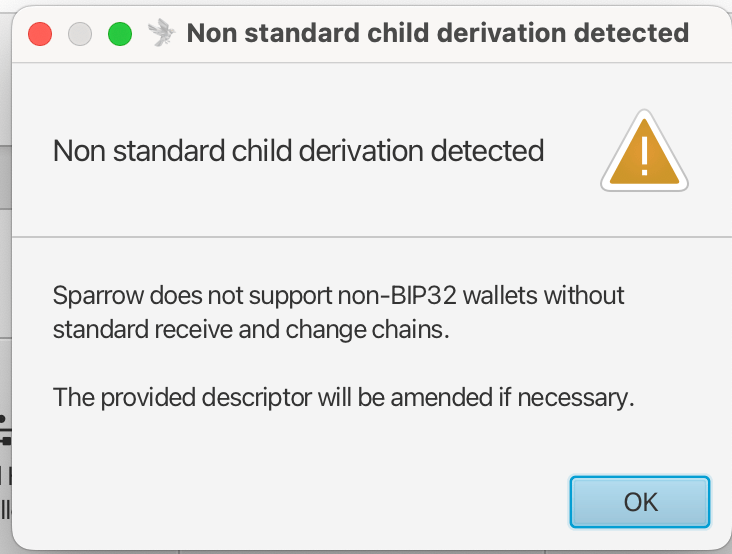
This allows for importing of the bitcoin core legacy wallet – by converting the xprv to a xpub. The problem is that the derivation of bitcoin-core starts with m/0'/0'/0' whereas sparrow does not allow this – so your transactions and funds will never be picked up or seen by sparrow. See this issue on sparrow 846.
Sparrow follows BIP32, with external and internal chains mapping to the receive and change addresses respectively.
There is a structural incompatibility and this will never work!
Bitcoin Core Descriptor Wallet
It seems as though to get the functionality one is looking to get – ability to mass import watch only addresses into sparrow for a bitcoin core legacy wallet – one first has to migrate the wallet to the new descriptor style wallet.
Then export the descriptors:
bitcoin-cli listdescriptorslook for the active descriptor:
"active": trueyou will see:
wpkh([fingerprint/84h/0h/0h]xpub...)copy the descriptor:
getdescriptorinfo "your_descriptor_here"Import into sparrow
Set:
Script Type → Match your descriptor (usually Native SegWit / P2WPKH)
Policy Type → Single Signature
Keystore → From Descriptor
Seen on bitcointalk:
Personally, I don’t think Bitcoin Core is designed for airgapped storage as it doesn’t offer master public keys to easily create a watch-only wallet or is the UI that optimized for such a thing as well.
Electrum Wallet
Electrum does not support output descriptor :/
Here are a list of wallets that do support output descriptors
Learn about the issue of derivation paths and issues recovering different wallets
You can’t Import non-standard deriv paths
If your bitcoin is on m\0'\0'\x…then sparrow woun’t import your descriptor
Output Descriptors
Output descriptors from listdiscriptors false will return descriptors like this:
More info on output descriptors from bitcore core docs and Learning bitcon from the CLI: Descriptors
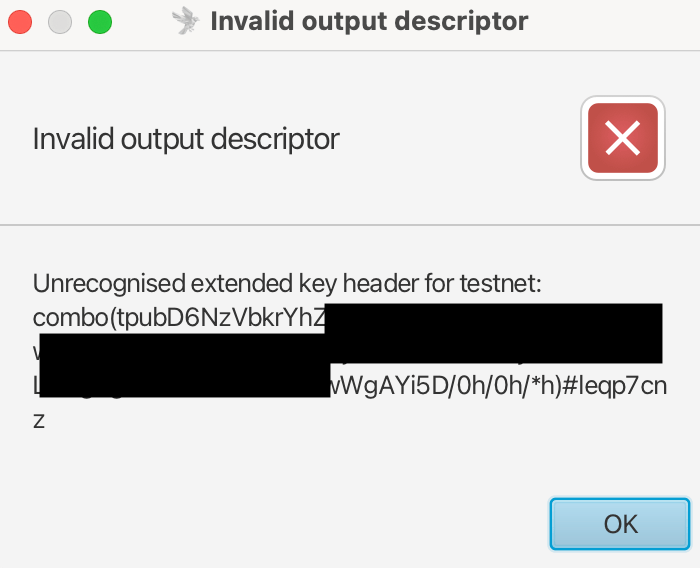
- combo(tpubD6NzVbkrY…./0h/0h/*h)#leqp7cnz
- pkh([9c5bc3d1/44h/1h/0h]tpubDD…9/0/*)#yc5lkggu
- sh(wpkh([9c5bc3d1/49h/1h/0h]tpubDC91…yMA/0/*))#xudqkttn
- tr([9c5bc3d1/86h/1h/0h]tpubDDDHA6….x/0/*)#l6m849tx
- wpkh([9c5bc3d1/84h/1h/0h]tpubD…wv/0/*)#96c85rys
Note this is from a legacy wallet (on testnet)
Matching output descriptors to address:
- legacy
1...: pkh() – pay to public key hash 3: sh(wpkh()) – pay to script hashbc1q– wpkh() – pay to witness public key hashbc1p– tr() – taproot
Fake apps and support scams
Sparrow is open source and the download lives at sparrowwallet.com. Imposters run a copy at sparrowwallet.net, and fake iOS apps appear from time to time. Treat any support message that arrives first as hostile.
Two rules protect your coins:
- Never enter your seed phrase into a website, a desktop app or a phone.
- Never share your screen or your seed with someone who offers support.
- Never get rattled. If a call or something feels “urgent” then let it sit for a while.
Reports of the fake site and the Telegram support scam: Sparrow upgrade scam and fake support admin. The fake iOS apps: first report and second report.
Utils
Found this useful utility: